Fancy Pants Adventures: Classic Pack
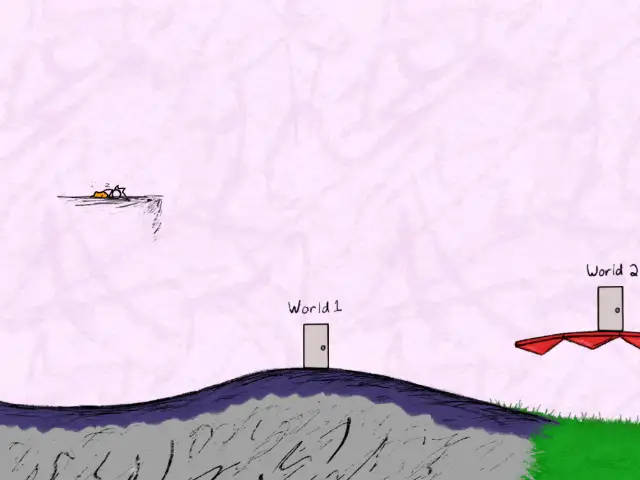
The Fancy Pants Adventures: Classic Pack collects Brad Borne's original Flash games, the series that set the bar for Flash platformers. Run, jump, slide and roll as the stick figure in the fancy pants through World 1, World 2 and World 3, picking your world from the hand drawn World 4 hub. Run fast, run fancy! Runs in the Ruffle Flash emulator; you need the game from Steam.
Port Details
Genres
platformer
Requirements
Porter
Downloads
184
Last Updated
2026-10-12
Rating
None
Miscellaneous
Instructions
Buy the game on Steam and copy everything from its install folder into ports/fancypants/gamedata/. The first launch patches the game files and converts the World 4 textures, which takes a few minutes.
Additional Information
Installation
Buy the game on Steam and copy everything from its install folder into ports/fancypants/gamedata/ (you should see ClassicPack.swf and the folders World1 to World4). The first launch patches the files and converts the World 4 textures, which takes a few minutes. Only the current Steam release is supported. If files are missing or damaged, copy the game files again: the next launch patches them.
Controls
Buttons are named as the game's prompts show them. They work by position, as SDL lays them out: A is the bottom button (labelled B on Anbernic devices). On Knulli you can swap them per game: long press X on the game in the ports list and change its A/B layout setting.
| Button | Action |
|---|---|
| D-pad / Left stick | Move, Up enters doors, Down ducks |
| A / B / X / Y | Jump / Attack / Special / Special 2 |
| Start | Pause |
| L1 / L2 | Music / sound effects volume: 100%, 50%, off (saved) |
| Select + Start | Quit |
Notes
- On 1 GB devices turn on zram (or swap) in your firmware's settings, so the game does not run out of memory.
- World 4 (the hub) runs at about 16 fps on an RG35XX H, but at the right game speed.
- World 3 is the heaviest world. On an RG35XX H it keeps close to full speed by drawing fewer frames when busy, so it can look choppier than Worlds 1 and 2.
- Entering a world door shows a short black screen while Ruffle restarts to free memory.
- Steam achievements and cloud saves are not available, progress is saved locally.
- Settings (quality, screen fit, frame rate) are in
ports/fancypants/fancypants.cfg. - The hub has no pause; Start pauses inside Worlds 1 to 3.
- On 4:3 and square screens the worlds show more of the level above, and the floor stays at the bottom of the screen.
Reporting problems
Please send ports/fancypants/log.txt and ports/fancypants/patchlog.txt (the setup's log), from right after the problem.
Thanks
Brad Borne / Borne Games for the game, the Ruffle team, Knifethrower for the SDL front end and memory savings, and Adobe for dds2atf.
Source and build details: https://github.com/crxssrazr93/fancypants-portmaster